Customer Registration
A. Importing Customer Lists
- A list of customers can be imported into the system using Excel or CSV file formats.
- This feature allows users to efficiently upload multiple customer records at once, ensuring faster data entry and improved accuracy.
- The imported file must follow the system-defined template to ensure proper mapping of customer information during the import process.
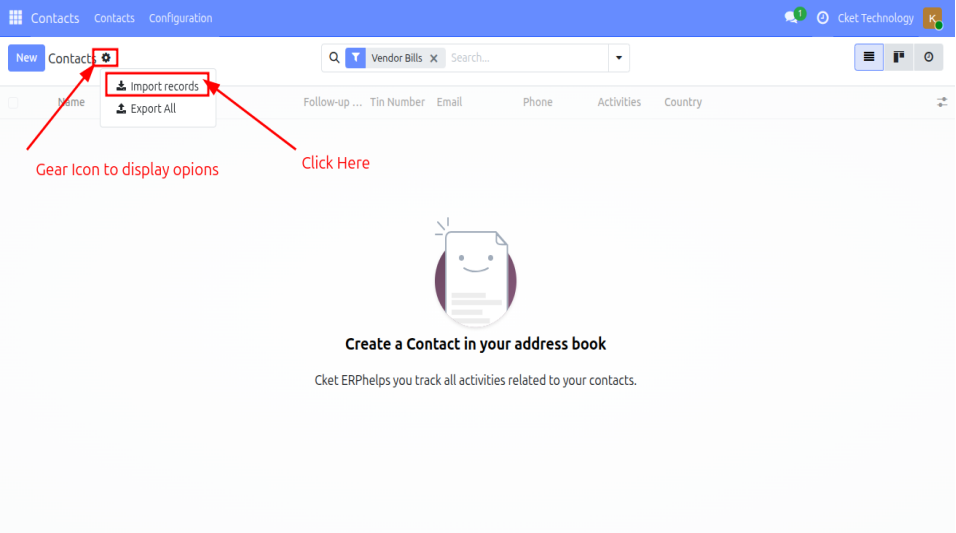
After clicking the “Import Records” option, the system displays the import interface page. From this page, the user shall click the “Upload Data File” button to select and upload the required file in Excel or CSV format only.
Once the file is selected and uploaded, the user shall click the “Test” button to validate the data. This step ensures that the file structure, form and field mappings are correct before proceeding with the actual import process into the system.
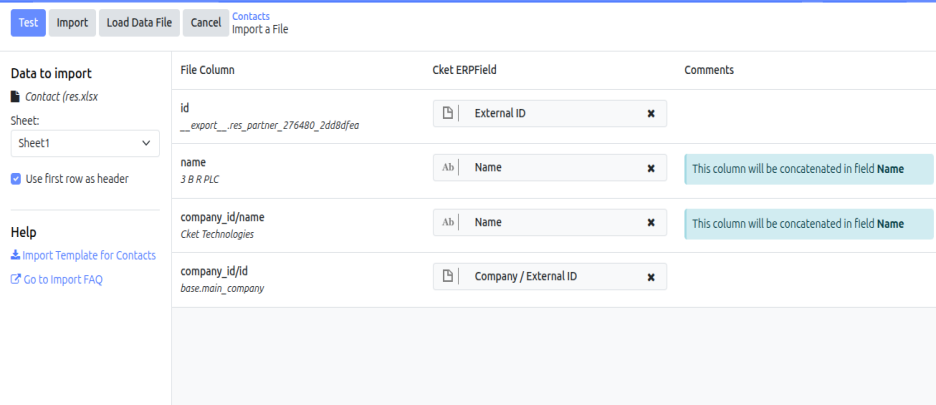
If file to be imported is not matching with the system fields it will raise error
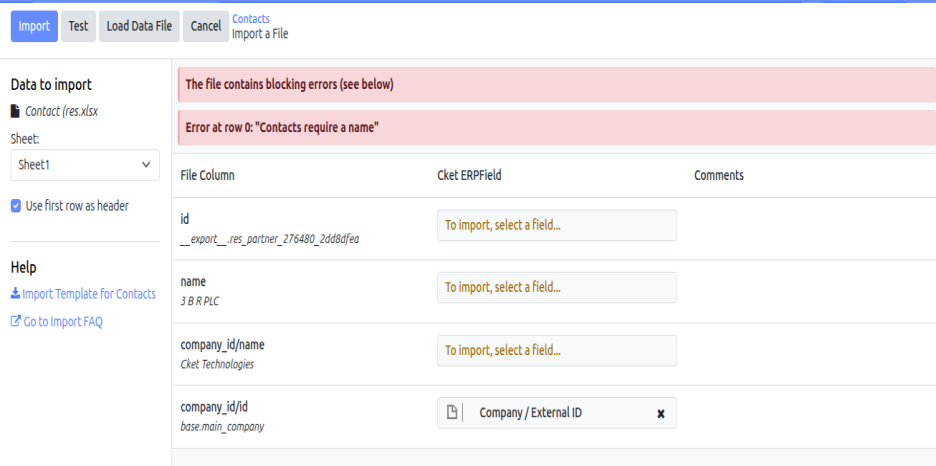
If the matching is correct the following success page will be displayed. Then click "Import" Button.
B. Creating New Customers
- The System user can also register individual customer records and review existing customer records through the Contacts application.
- To perform this operation, the user shall select the “Contacts” application from the system dashboard. The module enables the user to create new customer profiles by recording the required customer information, as well as review, update and maintain the details of existing customers within the system.
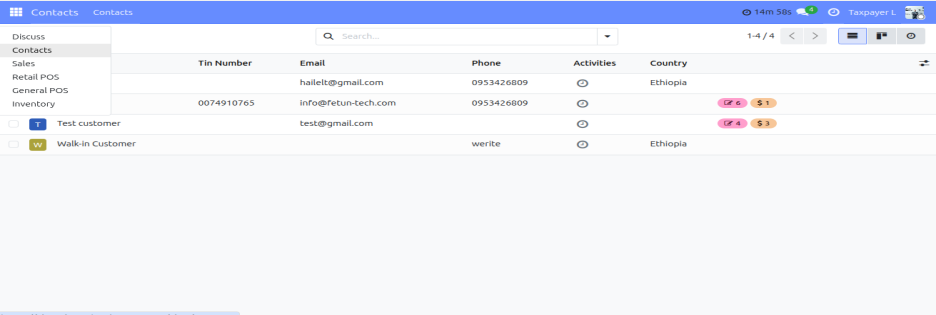
Upon selecting the “Contacts” application, the system displays the customer management interface containing the list of registered customers and related information. To register a new customer, the user shall click the “New” button located within the interface. This action opens the customer registration form, where the required customer details can be entered and maintained in the system.
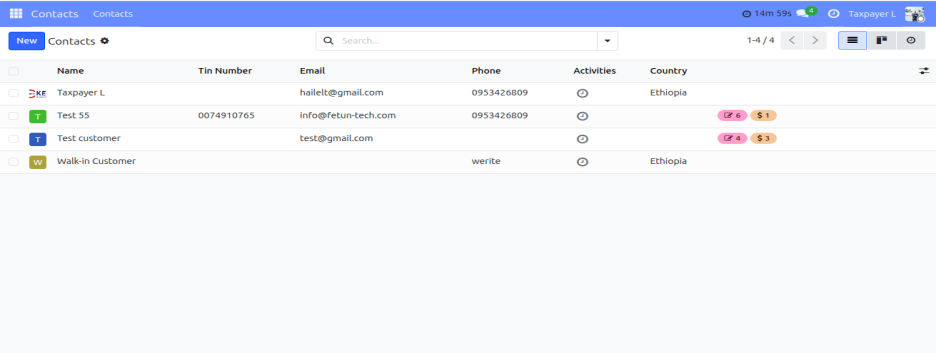
Upon clicking the “New” button, the customer registration form is displayed. The System user shall enter the required customer information in the respective fields provided on the form. After completing the data entry process, the user shall click the save icon located at the upper section of the interface to save and register the customer information in the system successfully.
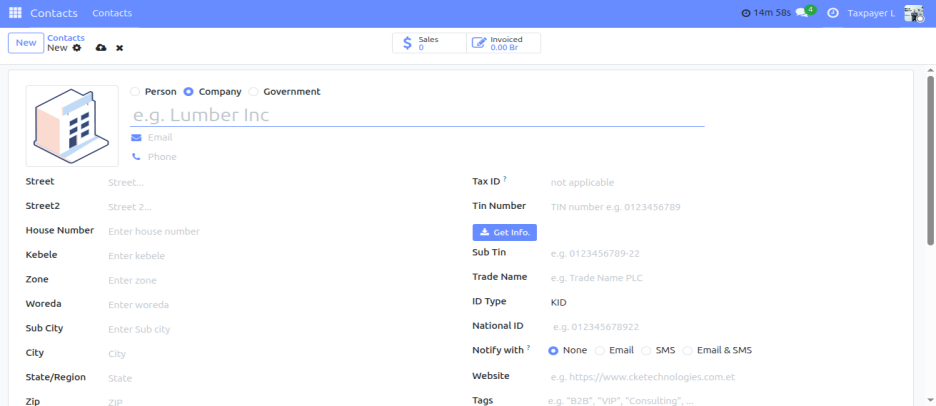
It should be noted that the system allows customers to be categorized based on their entity type. Accordingly, a customer can be registered as an Individual Person, a Company or a Government Institution. This classification ensures proper organization of customer records and supports accurate reporting and transaction handling within the system.